Inbound rules
Inbound rules decide where calls arriving on your numbers go — per DID or per caller, with separate destinations for inside and outside office hours.
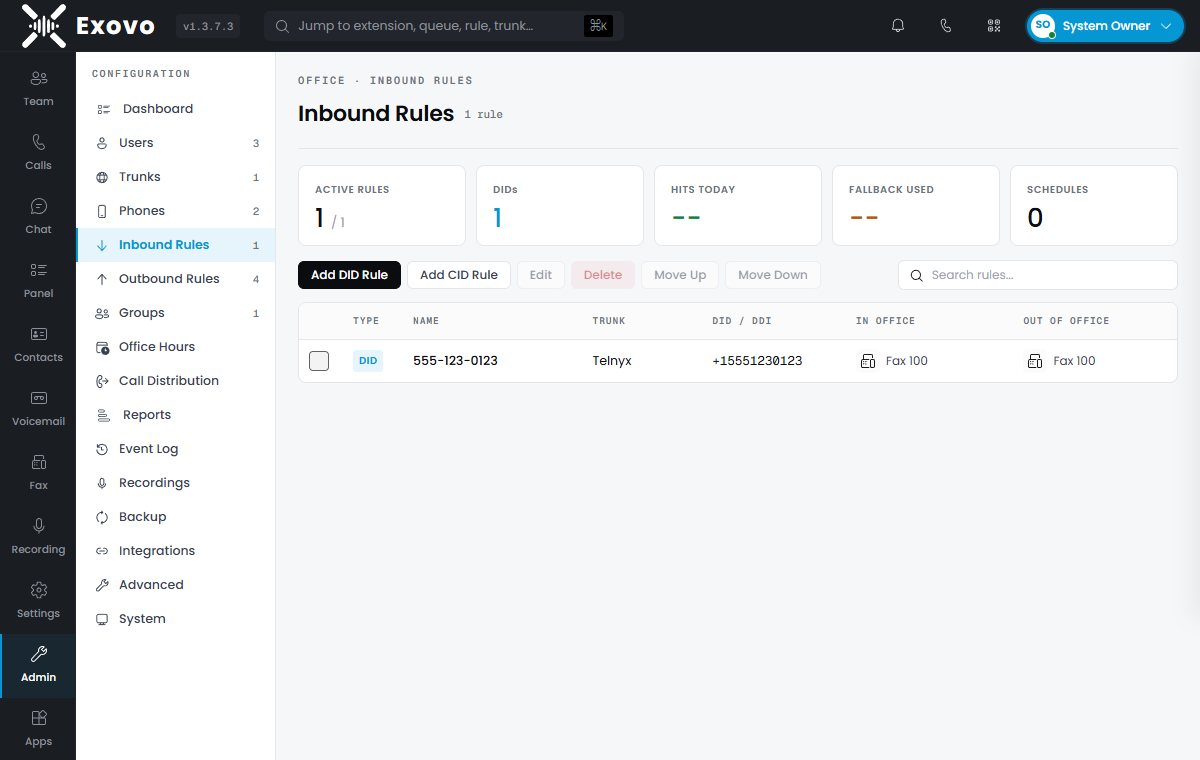
Two kinds of rule
Admin → Inbound Rules has two Add buttons:
- Add DID Rule — matches a specific number. Pick the DID from the dropdown (it lists every number you've added to your trunks, tagged with the trunk name). This is the everyday rule: one DID, one destination.
- Add CID Rule — matches the caller's number instead, exact or wildcarded
(
+1701*matches any caller from that prefix). Use CID rules to give a VIP customer a direct line to their account manager, or to shunt a known nuisance prefix to voicemail.
Announcement before routing
A rule can play an announcement before routing, such as "this call may be recorded", to every caller it matches: the call is answered, the prompt plays, then it goes on to the rule's destination with the caller hearing ringing. It applies to return calls the rule catches too, and is skipped when the destination is a fax.
Destination types
Each rule has two destinations — during office hours and outside office hours — and each can be any of:
| Destination | Behavior |
|---|---|
| Extension | Rings the user (their forwarding rules apply) |
| Ring Group | Rings a group of extensions together or in order |
| Queue | Holds callers for the next available agent |
| IVR | Plays a digital receptionist menu |
| Voicemail | Straight to a user's voicemail box |
| External number | Forwards out over your trunks |
| Fax | Receives as fax and emails the document to the chosen user |
Office-hours based routing
By default a rule follows the system-wide office hours: the in-hours destination applies when you're open, the out-of-hours one when you're closed. Two per-rule options refine that:
- Set up specific office hours for this rule — give this number its own schedule (a support line staffed later than the main office, for example).
- Play holiday prompt when it's a global holiday — holidays defined in office hours take precedence with their announcement.
Return calls
Turn on Return call routing on a trunk (its options, with a return window in minutes) and when someone calls an outside number out that trunk, the system remembers it for that long. If the number calls back on the trunk within the window, it rings the person who called them directly, ahead of the DID's usual destination and office hours. Each DID rule can follow the trunk's setting, or switch it on or off for that number.
Rule order and the fallback
Rules are evaluated top-down — use Move Up / Move Down to control priority when multiple rules could match (a specific CID rule above a broad DID rule, for instance). A call that matches no rule falls back to its trunk's default route; if the trunk has none, the call is rejected. The stat strip's Fallback used counter tells you when calls are slipping past your rules.
Number formats
DIDs match in international format (+15551230123), the same format they're stored in on the
trunk. CID masks accept a trailing wildcard (+1555*). If inbound calls aren't matching, compare
the format your provider actually sends (visible in Admin → Reports for a test call) against
the rule.